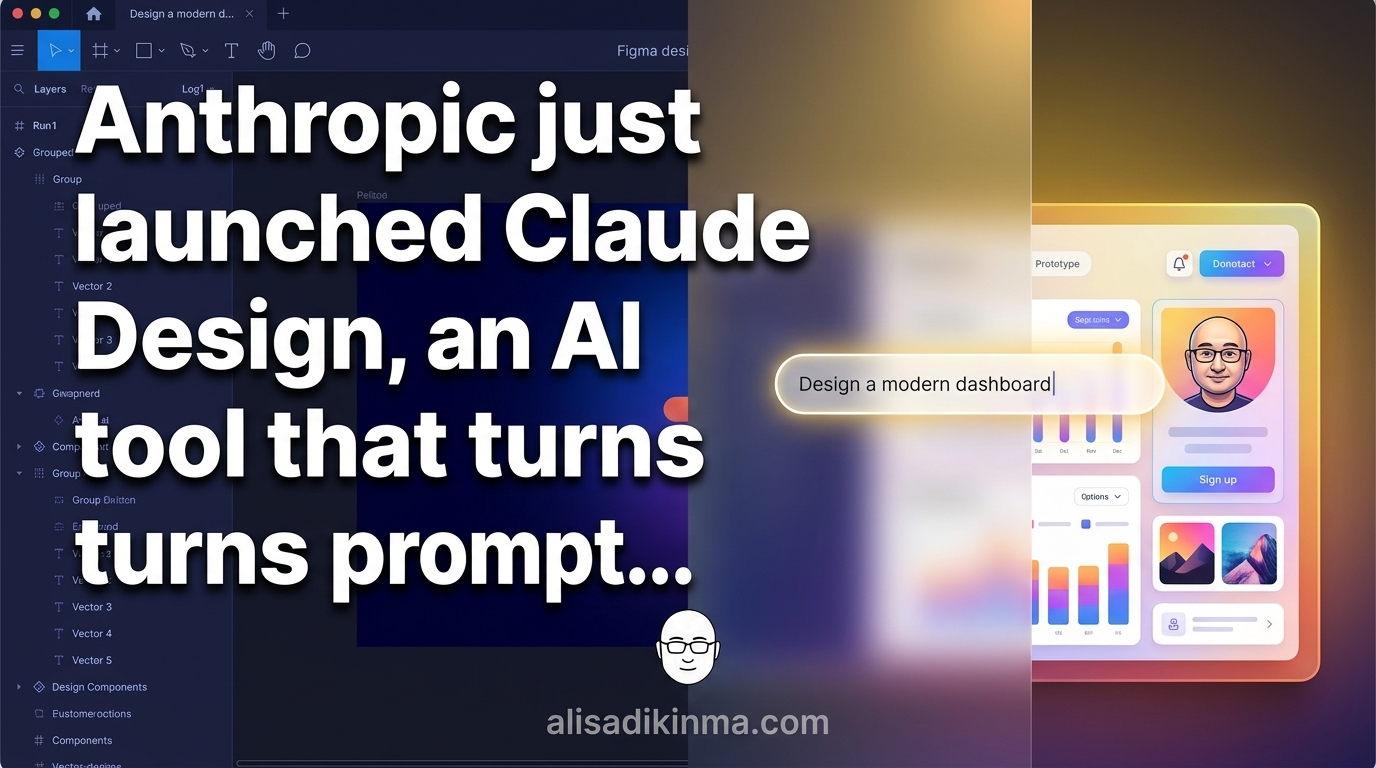
Claude Design by Anthropic Crashes Figma Stock by 5%
Figma just lost 5% of its value in a matter of hours. Here's why.<\/p>
On April 16, 2026, Anthropic officially launched Claude Design — an AI tool that turns plain text prompts into full UI prototypes, right in your browser. The market reacted within minutes.<\/p>
But there are two questions that matter more than the stock numbers:<\/p>
Is the way you've been designing still relevant in 2026? And who's most at risk — Figma, or the designers who've relied on it all this time?<\/p>
Before we get into that:<\/p>
There's a team that tried Claude Design before the public release. The results made them rethink their entire design workflow from scratch. The numbers are surprising — and we'll get into them in the third section of this article.<\/p>
Figma Dropped 5% in One Day — This Wasn't an Accident<\/h2>
Figma's stock had already dropped nearly 50% over the last 12 months. When Anthropic announced Claude Design on April 16, 2026, Figma's stock fell another 5% in a single day — according to reports from Gizmodo and Sherwood News. The tool runs on Claude Opus 4.7 and is available as a research preview for Claude Pro, Max, Team, and Enterprise users.<\/p>
This wasn't an overreaction from the market.<\/p>
Figma controls 40.65% of the design tool market, with nearly 95% of Fortune 500 companies actively using it, according to data from SQ Magazine and programming-helper.com. That dominance was built over more than a decade.<\/p>
But that dominance has one fundamental weakness:<\/p>
Figma still requires people who know how to design. Claude Design doesn't. And that difference isn't about features — it's about who can now build prototypes without years of learning.<\/p>
Why Has the Design Process Always Been the Biggest Bottleneck?<\/h2>
A frustrated founder or product manager surrounded by design complexity — sticky notes, wireframe sketches, empty coffee cups — capturing the pain of the traditional design bottleneck<\/figcaption><\/figure>
The global UI\/UX market is worth $2.91 billion in 2026 and is projected to grow to $11.66 billion by 2031 at a 32% CAGR, according to Mordor Intelligence. That big number hides a painful reality that every founder and product manager in Indonesia feels almost every day.<\/p>
You've got a product idea at 11 PM. You need a mockup for an investor meeting tomorrow morning.<\/p>
Figma? You need a designer who's online. Canva? Too generic for a B2B product. Agency? Minimum 3 days for briefing and approval. Midjourney? Great images, but not a UI you can present to technical stakeholders.<\/p>
You spend 3 hours trying, and it still doesn't feel professional.<\/p>
This happens every day at Indonesian startups. The pain point isn't about lacking creativity — it's about Figma's steep learning curve and the cost of designers that's just too high for quick iterations.<\/p>
And that's exactly the problem Claude Design was built to solve.<\/p>
But how far can this tool actually go? The data is more surprising than most people expected.<\/p>
What Is Claude Design — and Why Is It Different from Everything Before It?<\/h2>
A futuristic AI workspace where a text prompt on the left side magically transforms into a polished UI prototype on the right — representing the core Claude Design revelation moment<\/figcaption><\/figure>
Claude Design is an AI tool from Anthropic launched on April 16, 2026, running on Claude Opus 4.7, and available as a research preview for Claude Pro, Max, Team, and Enterprise. The way it works is simple: you type a UI description in natural language, and the tool generates a presentation-ready visual prototype — without touching a single traditional design tool.<\/p>
The Brilliant team already proved it before the public release.<\/p>
According to their report cited by heise online, complex pages that previously needed more than 20 prompts in other tools were done with just 2 prompts using Claude Design. A 90% reduction in prompting effort for equivalent — or better — output.<\/p>
Those numbers aren't a marketing claim. This is an internal report from a team that used it for real work.<\/p>
What makes Claude Design truly different isn't its generation speed — it's three capabilities that have never existed together in one tool:<\/p>
Context from your existing codebase.<\/strong> The tool can read the design system already established in your repository and generate UI that's automatically consistent with your product's visual style. Not a generic template you have to manually customize — but a design that adapts to the visual identity you've already built.<\/p>
Handoff to Claude Code with one command.<\/strong> Approved prototypes can be passed directly to Claude Code to be converted into runnable code. No separate spec document, no gap between what the mockup shows and what the developer writes.<\/p>
Accessible to anyone.<\/strong> Claude Design doesn't require knowledge of spacing systems, typography hierarchy, or color theory. You just describe what you want in the language you use every day.<\/p>
Now here's the bigger question:<\/p>
Which specific feature has the biggest impact on your work today?<\/p>
5 Claude Design Features That Have Figma Sweating<\/h2>
A confident product designer working on Claude Design in a modern studio — large monitor showing colorful UI prototype being built from a text prompt, representing productive empowerment<\/figcaption><\/figure>
Claude Design comes with capabilities that directly target the biggest weaknesses in conventional design workflows. Here are the 5 most relevant features for product teams, founders, and marketers in 2026 — with how to start using them today.<\/p>
1. Prompt-to-Prototype in Seconds, Not Hours<\/h3>
What it does:<\/strong> You type a UI description in natural language — like "B2B SaaS analytics dashboard with dark mode, left sidebar, and 4 metric cards at the top" — and Claude Design generates a complete visual prototype in seconds, ready to present.<\/p>
How to start:<\/strong> Open claude.ai and select Claude Design from the main menu. Write your UI description with specific details: the colors you want, layout type, key components, and target user context. The more specific your description, the more precise the result — but even a general description will produce output you can use as a starting point.<\/p>
Real example:<\/strong> The Brilliant team used Claude Design for pages that previously needed more than 20 prompts in other tools. With this tool, they finished in 2 prompts — according to their internal report cited by heise online. That's not a minor workflow difference. That's a fundamental change in how long it takes for a prototype to go from idea to reality.<\/p>
The result:<\/strong> Founders can walk into investor meetings with a professional-looking prototype, prepared in minutes — not hours. Designers can focus on high-level aesthetic decisions and creative choices that need a human touch, instead of repeating the same basic wireframes over and over.<\/p>
2. Automatic Design System from Your Codebase<\/h3>
What it does:<\/strong> Claude Design reads your existing product codebase and generates UI that automatically follows the visual style, components, and design patterns already established — not a generic template you have to customize one by one every time you start a new session.<\/p>
How to start:<\/strong> Connect your GitHub repository to Claude Design through the integration available in Pro, Max, Team, and Enterprise plans. When you request new UI, the tool reads design tokens and existing components, and generates output consistent with your live product — without you having to re-explain "this is our brand color" every session.<\/p>
Real example:<\/strong> A SaaS product already using Tailwind CSS and a React component library can ask Claude Design to build a new onboarding page. The result automatically follows the spacing, colors, and components used across other pages — consistent from day one with no extra design review needed from the team.<\/p>
The result:<\/strong> Visual consistency that previously required long design reviews can now be maintained automatically. Engineering teams can review output directly without decoding specs from designers who don't always use the same terminology.<\/p>
3. Direct Handoff to Claude Code with Zero Friction<\/h3>
What it does:<\/strong> Prototypes generated by Claude Design can be passed to Claude Code with a single command, producing runnable code — not a static spec that a developer has to reinterpret and potentially deliver something different from what the designer intended.<\/p>
How to start:<\/strong> Once the prototype is approved by all stakeholders, use the handoff command available in the Claude Design interface. Claude Code will receive the full visual context and generate a code implementation in the tech stack you choose — React, Vue, or whatever framework you're already using in your product.<\/p>
Real example:<\/strong> A startup that used to spend 2-3 days on the "designer builds mockup → developer interprets → back-and-forth revisions" cycle can now cut that down to hours. No more "I assumed this is what you meant" from the developer. No back-and-forth that drains everyone on the team.<\/p>
The result:<\/strong> Execution speed that used to belong only to teams with senior designers and experienced developers is now accessible to any small team with Claude Pro access — without needing to grow the team first.<\/p>
4. Real-Time Iteration with Natural Language Instructions<\/h3>
What it does:<\/strong> Revise prototypes using plain instructions — "move the CTA button to the right", "change the header to navy blue", "add an empty state for this table" — without entering a separate edit mode or clicking elements one by one on a confusing canvas.<\/p>
How to start:<\/strong> Type revision instructions in the same chat field as your initial prompt. Claude Design keeps context from the entire session — changes you request won't reset other components that are already approved. You can iterate as many times as you want in one session without losing the progress you've made.<\/p>
Real example:<\/strong> A product manager who used to wait for a designer to come online for minor revisions can now iterate on their own, live in front of stakeholders during a meeting. A feedback loop that used to take 24 hours can be done in 5 minutes. Design meetings shift from "waiting for revisions" to "iterating live with everyone in the room".<\/p>
The result:<\/strong> Faster decisions — not because the process is rushed, but because everyone can see changes in real-time and agree or revise on the spot without booking another meeting.<\/p>
5. Zero Learning Curve for Non-Designers<\/h3>
What it does:<\/strong> Claude Design can be used without any design background at all — no need to understand grid systems, no need to memorize Figma shortcuts, no need to know the difference between kerning and leading, no need to know what a design token is.<\/p>
How to start:<\/strong> Access it directly from claude.ai with a Pro ($20\/month), Max, Team, or Enterprise subscription. No extra setup, no plugins to install, no template to select first. You can start with your first prompt within 2 minutes of logging in, with zero tutorials needed.<\/p>
Real example:<\/strong> A marketer who's always depended on a designer for every campaign banner can now start building mockups on their own for internal review, then bring it to the designer only for final polish — not for ideation from scratch. Senior designers can focus on creative decisions that actually need their expertise.<\/p>
The result:<\/strong> Non-designers are no longer a bottleneck or extra burden for the design team. Ideas get visualized faster, and designer bandwidth gets allocated to work that actually needs their touch — not simple mockups that AI can handle.<\/p>
What Does This Mean for Designers — and Non-Designers — in Indonesia?<\/h2>
The AI-powered design tools market grew from $6.74 billion in 2025 to $8.22 billion in 2026, a 22% increase in one year, according to Research and Markets. Anthropic itself surpassed $30 billion in annualized revenue in early April 2026 — up from $9 billion at the end of 2025, according to Bloomberg. This isn't a small-scale experiment. This is a full-on platform war.<\/p>
For those of you working in Indonesia, there are two different perspectives to understand:<\/p>
If you're a designer:<\/strong> Claude Design isn't a threat to your skills. But it is a real threat to the most repetitive parts of your job — initial wireframing, basic mockups, the same template variations over and over. Designers who can integrate Claude Design into their workflow will become more productive and more valuable to their team. Designers who refuse to try will lose ground to those who are willing to experiment.<\/p>
If you're a founder, marketer, or product manager:<\/strong> This is a door that didn't exist before. You no longer need to wait for a designer's slot or spend agency budget just to see the first mockup of an idea. A professional mockup can be ready in minutes, and you can walk into a meeting with something concrete — not a PowerPoint slide full of placeholder boxes that doesn't convince anyone.<\/p>
One question you need to answer today:<\/p>
Which tools are you still paying for every month that Claude Design could replace for your specific needs?<\/p>
How to Get Started Today — No Design Background Needed<\/h2>
In Q1 2026, Anthropic captured 37% of total AI spending share — surpassing OpenAI at 33% for the first time in history, according to Sherwood News. That's not a number you can ignore. It's a signal that Claude has become the primary choice at many companies, not just an alternative.<\/p>
Claude Design is available now as a research preview. Here are the three simplest steps to get started:<\/p>
Step 1:<\/strong> Open claude.ai and make sure you're subscribed to Pro, Max, Team, or Enterprise. Claude Design isn't available on the free tier based on Anthropic's release information as of April 2026.<\/p>
Step 2:<\/strong> Select Claude Design from the menu. Start with a simple prompt — like "build a landing page for a productivity app with a large headline, CTA button in the center, and 3 feature highlights below". See the result before adding more complex details.<\/p>
Step 3:<\/strong> Iterate with natural language instructions. It doesn't need to be perfect on the first try. Claude Design is built for quick revisions, not single-shot output that has to be right from the start.<\/p>
The most important thing to understand right now:<\/p>
Anthropic isn't just building one design tool. They're building an ecosystem — from Claude Design to Claude Code to Claude API — where every piece connects and reinforces the others. In Q1 2026, Anthropic already surpassed OpenAI in spending share. This isn't a normal product launch moment. This is a generational shift in who can build digital products — and how fast they can do it.<\/p>
Try Claude Design now — available at claude.ai for Pro, Max, Team, and Enterprise users.<\/p>
Or save this article before your next design meeting — it'll change how you pitch prototypes to your team.<\/p>
FAQ — Most Common Questions About Claude Design<\/h2>
Can Claude Design be used for free?<\/h3>
No. Claude Design is only available as a research preview for Claude Pro, Max, Team, and Enterprise users. The Claude Pro plan starts at $20 per month. There's no free tier access for this feature based on Anthropic's official release information as of April 2026. Since it's still a research preview, features and availability may change as the tool develops.<\/p>
Can Claude Design fully replace Figma?<\/h3>
Not fully — and that's probably not the original goal. Claude Design is extremely powerful for quick ideation, early prototyping, and prompt-based iteration. Figma is still more complete for large team collaboration, detailed annotations, and traditional handoffs. But for non-designers who need a quick mockup for a presentation or idea validation, Claude Design is already enough to replace most of their basic Figma needs.<\/p>
What AI model powers Claude Design?<\/h3>
Claude Design is powered by Claude Opus 4.7 — Anthropic's latest model at the time of the April 16, 2026 launch. This isn't a lite version or a separate model. The tool uses the full capabilities of Opus 4.7 to understand UI descriptions in natural language and generate precise visual output that matches the context you provide.<\/p>