Claude Design Anthropic: The AI That Crashed Figma's Stock by 8%
By Ali Sadikin Ma · · Updated
Category: Design
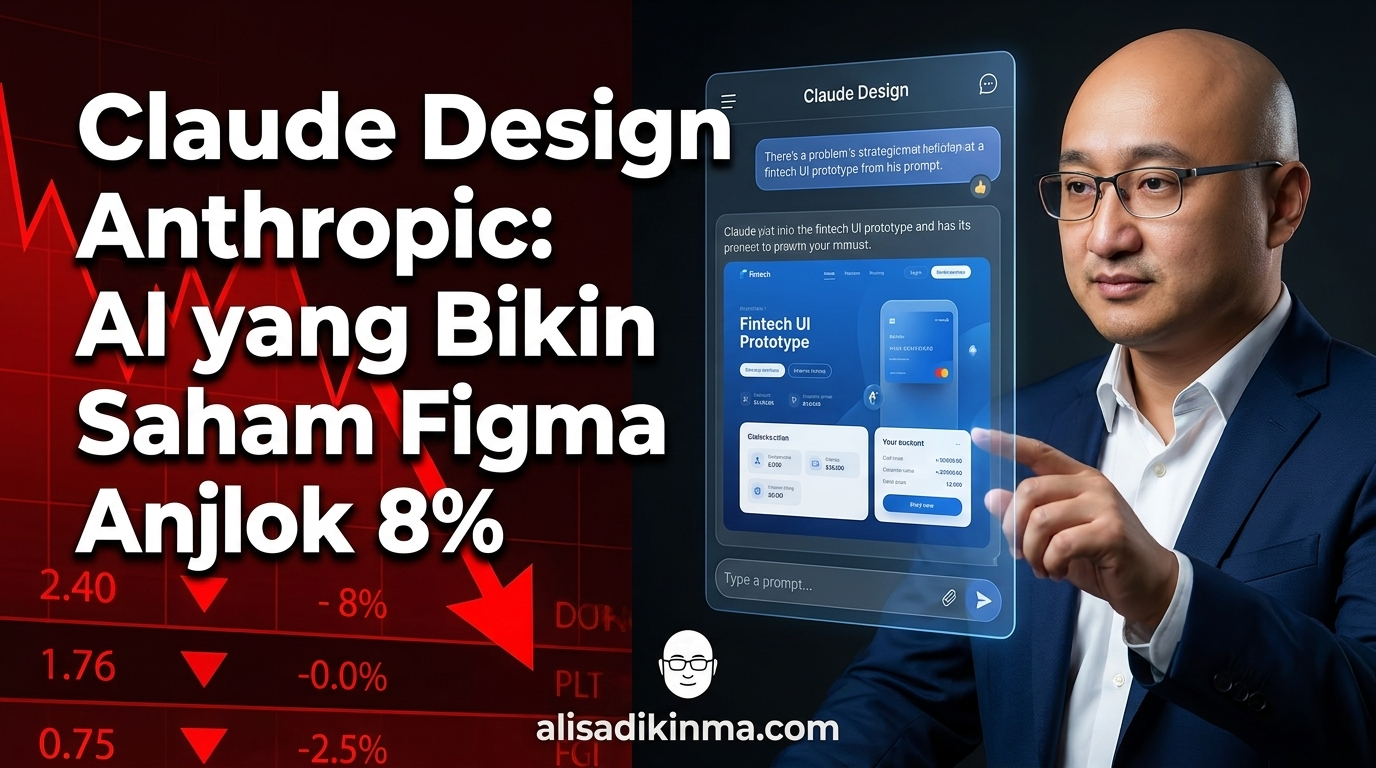
Figma's stock dropped 8% because of one announcement. This wasn't a coincidence.
On April 17, 2026, Anthropic released Claude Design. Within hours, Figma's secondary market stock dropped around 8%. Adobe followed with a 1.5% drop. Two giants in the digital design industry took a hit on the same day — from one newly launched AI product.
But this isn't about stocks.
It's about a signal. The market read something in Anthropic's Claude Design announcement that you might not have fully caught yet. And if you work in design, product, or marketing — you need to know what it is before someone else on your team finds out first.
There are three questions that need to be answered before this article wraps up:
First, what exactly is Claude Design — and why is it different from the dozens of "AI design tools" that have come and gone? Second, what makes Opus 4.7 a technically different engine from its predecessors? And third — the one media barely covers — what does all this actually mean for you and your team?
All the answers are here. Let's start with the context.
One Announcement, Two Stocks Down: What Actually Happened?
Figma lost around 8% of its market value on April 17, 2026 — the same day Anthropic's Claude Design officially launched. Adobe dropped 1.5% that same day. Two digital design giants took a hit in under 24 hours. This wasn't an overreaction from the market. It's a signal that investors saw a real structural shift.
This market reaction wasn't a minor incident.
Figma is one of the most dominant design collaboration platforms in the world. Adobe has Creative Cloud with hundreds of millions of users. Both got hit in a single day not because of rumors — but because of a concrete announcement about what Claude Design can actually do (Geeky Gadgets, 2026).
But here's the question you should be asking:
Is this just another flash of hype like we've seen over and over? Or is there something genuinely different this time?
To answer that, we need to look at why the design bottleneck has always existed — and why every previous solution never quite solved it.
The Design World Before April 17: Why Was This Always a Bottleneck?
Anthropic now serves 70% of Fortune 100 companies, with more than 300,000 business customers and 500+ companies paying more than $1 million per year (AI Business Weekly, 2026). Anthropic's annual revenue surpassed $30 billion in early April 2026 — up 14x from $1 billion at the end of 2024. At this scale, the products they release aren't experiments.
The real problem Claude Design is trying to solve? The design bottleneck.
If you've ever waited 3 days for a designer just to revise one slide — you know how it feels. If you've ever delayed a pitch deck because the design team was overloaded — you know the problem. If you've ever published content with visuals that were "good enough" because there was no time for better — that's not just your problem.
It's a systemic problem that almost every team faces.
It's not the designers' fault. Demand for visuals has far outpaced available capacity. Every campaign needs assets. Every product needs mockups. Every pitch needs a convincing deck. And this cycle never stops — while designer capacity stays fixed.
Until April 17, there was no solution that truly cut through this bottleneck. Claude Design is here to change that — and its foundation starts with an upgrade that rarely gets discussed in depth.
Opus 4.7: The Upgrade That Makes Claude Design Possible
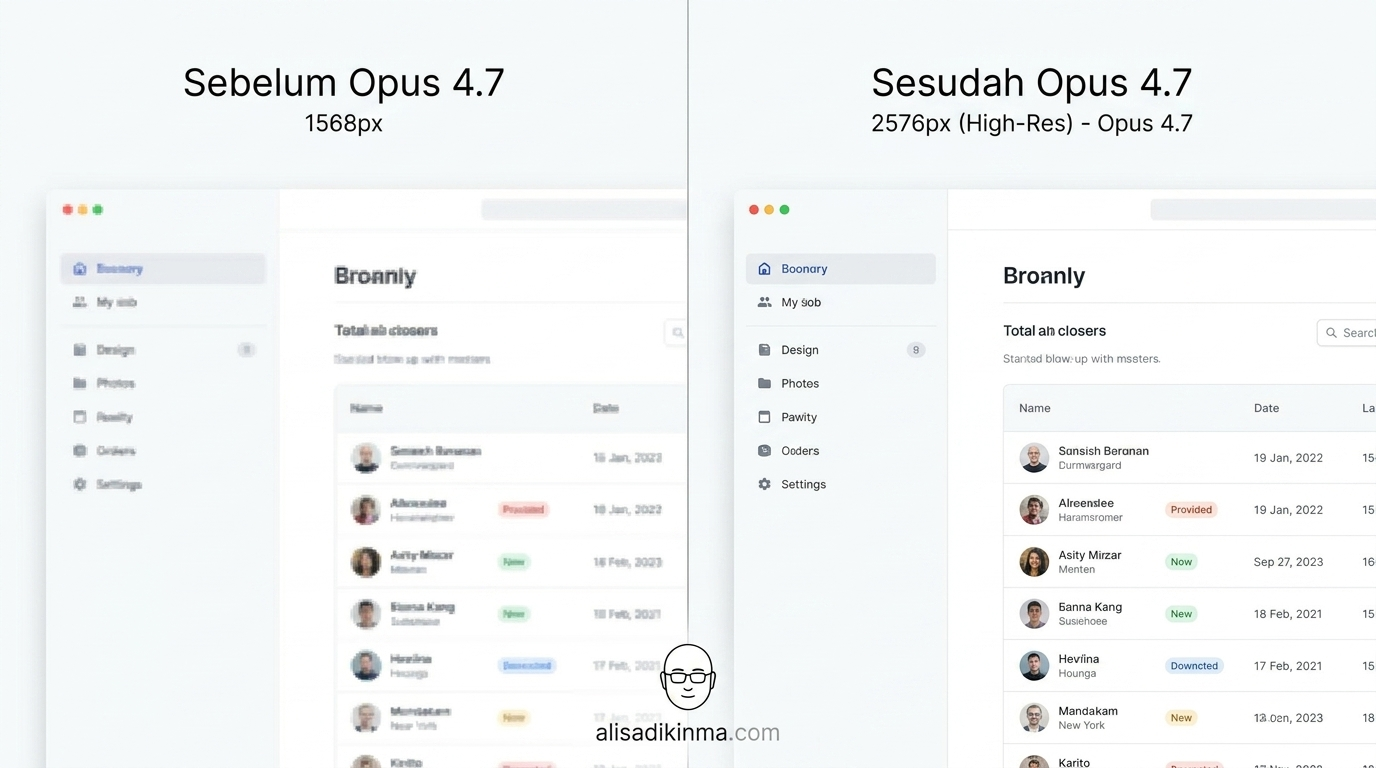
Claude Opus 4.7 recorded a 13% improvement over Opus 4.6 on a 93-task coding benchmark — including 4 tasks that no previous model could complete at all. On top of that, image processing resolution jumped from 1,568px to 2,576px, surpassing the previous model's capacity by more than 3x (Anthropic release notes, 2026). These two numbers are what make Claude Design possible.
But before we talk about Claude Design — we need to talk about the engine behind it.
Claude Design isn't a standalone product. It's built on top of Opus 4.7, Anthropic's latest model released on the same day, April 17, 2026. Without two critical upgrades in Opus 4.7, Claude Design wouldn't be able to do what it can do now.
Two numbers to keep in mind: 13% and 3x.
First, reasoning capability. Opus 4.7 recorded a 13% improvement over Opus 4.6 on a coding benchmark made up of 93 tasks — including 4 tasks that neither Opus 4.6 nor Sonnet 4.6 could complete before. This isn't a marginal improvement. It's a capability leap big enough to unlock a new product category.
Then there's the resolution factor. And this is the most surprising part of Opus 4.7's specs:
Previously, Claude models were capped at 1,568px / 1.15MP for image processing. Opus 4.7 processes images up to 2,576px / 3.75MP — more than 3x the resolution capacity of the previous model (Anthropic, 2026). In a design context, this isn't a minor technical detail. It's what allows the model to understand, analyze, and generate visual output at a level no AI could achieve before.
One more thing worth noting: Opus 4.7's pricing hasn't changed from Opus 4.6 — $5 per million input tokens, $25 per million output tokens (CNBC, 2026). A major capability leap with no price increase.
The combination of sharper reasoning and 3x higher image resolution is the technical foundation of Claude Design. And that brings us to the main question that's been hanging since the first paragraph.
Claude Design: Not Just "Another AI Design Tool" — This Is Different
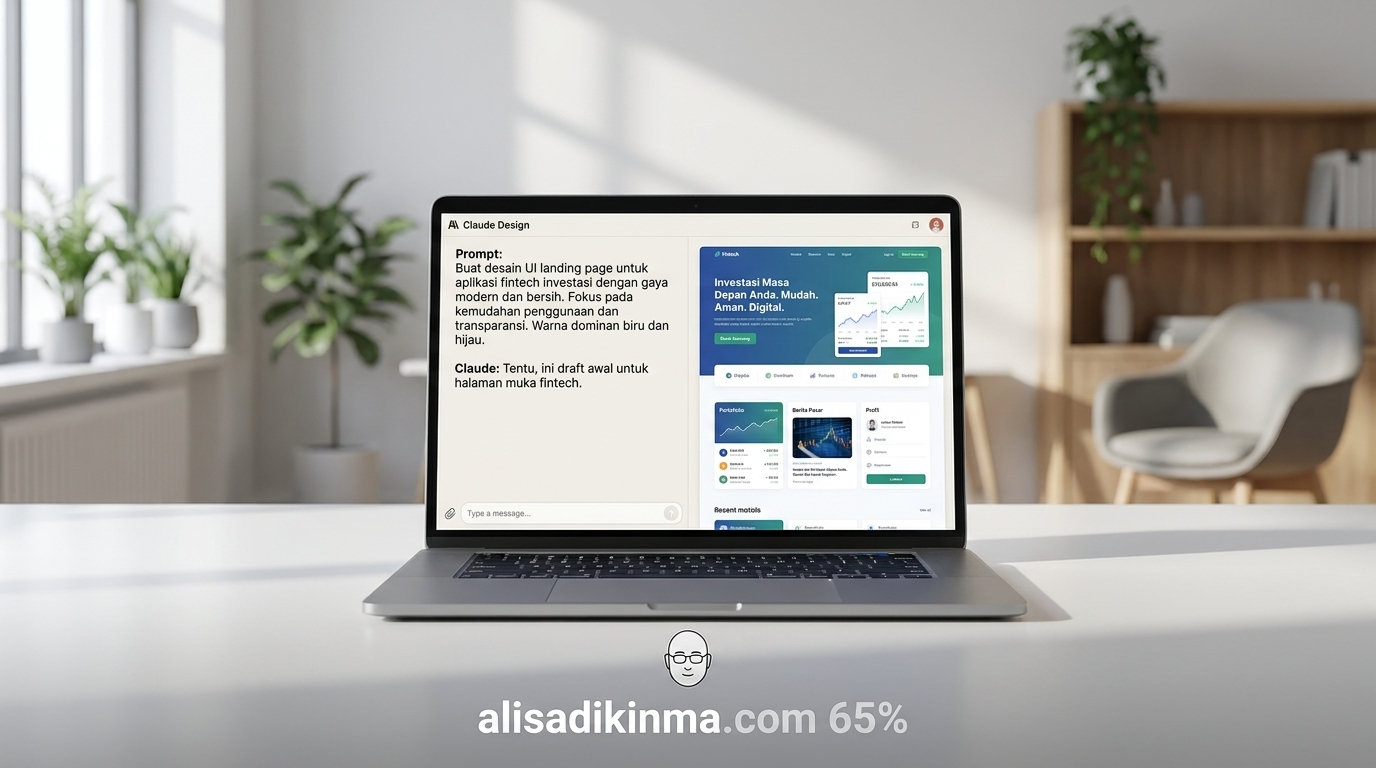
Claude Design turns text prompts into UI prototypes, pitch decks, slides, one-pagers, and marketing visuals — not just image generation. It reads your team's codebase and design files to extract your existing brand system, then uses that as the foundation for every output. Results can be exported to Canva, PowerPoint, PDF, or HTML and shared via internal URL without any extra accounts (TechCrunch, 2026).
We've seen plenty of "AI design tools." Most do the same thing: you put in a prompt, an image comes out, done. Anthropic's Claude Design isn't that.
Here's what's actually different:
Real prompt-to-prototype.
You type: "Build a landing page for our fintech startup targeting small businesses." Claude Design doesn't just make a decorative image. It builds a UI prototype you can actually export — complete with layout, components, and visual hierarchy. The output is ready to use. Not just a moodboard to hand off to a designer.
But hold on:
Brand system extraction — the feature almost no media has covered.
This is what barely gets discussed: Claude Design can read your team's codebase and design files, then extract your existing design system — brand colors, typography, UI components. That means the output isn't generic and doesn't look like typical AI output. It follows your team's visual identity automatically.
If your team has an established brand and you don't want every AI output to look foreign — this isn't a small feature. It's the main differentiator from any competitor.
Multi-format export without friction.
Output from Claude Design can be directly exported to Canva, PowerPoint, PDF, or standalone HTML. You can also share it via internal URL across your whole team without any extra accounts (TechCrunch, 2026). Compare this to a normal workflow: brief the designer, wait for the first revision, give feedback, wait for the second revision, reformat for the presentation. A cycle that typically takes 3–5 days can now take 3–5 minutes.
Compared to Lovable, which focuses more on app development, Claude Design leads in two critical areas: extracting the design system from an existing codebase, and deeper inline editing capabilities (ContentGrip / Victor Dibia Newsletter, 2026). This isn't a new tool in an old category. It's a different category entirely.
And it's available right now — for free, as a research preview through Anthropic Labs at claude.ai.
3 Groups Most Affected by Claude Design (and the Best Move for Each)

Not everyone is affected by Claude Design the same way. From Anthropic's 300,000+ business customers as of April 2026, there are three user profiles that feel this shift most directly — and each has a different optimal response.
1. Professional Designers — Not a Threat, But New Leverage
What's changing: Claude Design doesn't replace designers. It eliminates the work that eats up the most of a designer's time — early iterations, last-minute mockup requests, repetitive content format adaptations that don't need creative judgment.
Concrete step: Delegate all "express requests" to Claude Design. Take a client or internal brief, run it through Claude Design for the first draft, then review and polish the output. Your focus shifts to strategic design decisions and work that genuinely needs human judgment — not repetitive production.
Real example: A designer on a product team who previously spent 4 hours a day on ad-hoc requests can cut that down to 45 minutes. The remaining time goes toward design system audits and user research — work that no AI can replace right now.
Outcome: Designers who can use Claude Design as a capacity multiplier will look far more productive than those who don't. This is about positioning in a new era, not surviving a threat.
2. Founders and Small Product Teams — Finally Moving as Fast as Your Ideas
What's changing: Startups and small teams have always been stuck between two bad options: no in-house designer, or a designer who's always buried in a backlog. Claude Design opens up a third option — professional visual output without additional hiring.
Concrete step: Use Claude Design for your next pitch deck, MVP landing page, or investor materials. Give clear brand context at the start of the session — upload a style guide or design file if you have one. Claude Design will extract brand elements and use them as a reference for all output in that session.
Real example: A founder who previously needed 2 weeks to prepare an investor deck — because of the designer queue and multiple revision rounds — can now finish the first draft in an afternoon. Energy and time shift to content and narrative, not layout and formatting.
Outcome: The speed from idea to visual increases dramatically. For startups that are fundraising or racing to launch, that speed is often what makes the difference between getting the opportunity or not.
3. Marketing and Content Teams — More Campaigns, Less Waiting
What's changing: Marketing teams are the ones who "wait in line" for designers the most — for banners, social media assets, campaign presentations, email headers. Claude Design cuts that line significantly without sacrificing visual quality.
Concrete step: Build prompt templates for your team's recurring campaigns. Social assets, email headers, brand one-pagers — all of these can be generated with curated prompts, then exported directly to Canva for minimal finishing touches. Designers only get involved at the final QC stage, not production from scratch.
Real example: A content team that usually waits 3 days for social assets can now draft them in 30 minutes. The same designer can handle 3x more campaigns in the same amount of time because they're no longer doing repetitive production work.
Outcome: More campaigns can run in parallel without designer capacity becoming the bottleneck. You'll feel this directly in your go-to-market speed and the volume of content you can produce every month.
How to Start Using Claude Design Today (Even Without a Design Background)
Claude Design is available right now as a free research preview through Anthropic Labs at claude.ai — no waitlist, no extra app to install (Anthropic, 2026). You can get started within 5 minutes from now, even without any design background.
You don't need to wait. Three steps to get started:
Step 1: Enable Anthropic Labs. Go to claude.ai, open Settings, select Account, and enable Anthropic Labs. Claude Design shows up as an option immediately after activation — no extra configuration needed.
Step 2: Start with a specific brief. Don't just type "make a poster" or "make a banner." Give full context: industry, target audience, brand tone, required format, and the purpose of the output. The more specific your brief, the more relevant and ready-to-use the result.
Step 3: Upload your brand files (highly recommended). If your team already has a style guide, design file, or codebase with consistent visual patterns — upload it at the start of the session. Claude Design will extract brand elements and use them as a reference for all subsequent output in that same session.
Before you get started, here are the most common questions that come up:
FAQ: The Most Common Questions About Anthropic's Claude Design
Here are direct answers to the most common questions — based on official information from Anthropic and trusted media reports as of April 2026.
Does Claude Design replace Figma?
Not yet, and that's probably not the goal. Claude Design focuses on rapid prototyping and initial visuals, not design system management or real-time team collaboration like Figma does. But for speed from prompt to ready-to-use visual output, Claude Design wins in that category. The market reaction — Figma stock down 8%, Adobe down 1.5% on April 17, 2026 (Geeky Gadgets, 2026) — reflects investor concern about market erosion, not a prediction that Figma is dying.
Can you use Claude Design without design skills?
Yes, and it's designed exactly for that. Claude Design is built for non-designers and teams that don't have full designer capacity. You just describe what you need in plain language — Claude Design translates that into professional visual output. The best results come from specific, detailed briefs, not from any technical design expertise.
Is Claude Design free?
Right now it's available as a free research preview through Anthropic Labs at claude.ai. There's no official timeline for a paid version or access changes, but research preview status can change. Take advantage of free access while it lasts — and start exploring the brand extraction feature before others in your industry do (Anthropic, 2026).
It's not about who lost on April 17.
The market reaction that day wasn't a story about Figma or Adobe dying. It's a signal that the visual production landscape is shifting structurally. The companies that'll win aren't the ones with the best designers — but the ones that move fastest from idea to immediately usable visuals.
Claude Design gives that speed to anyone — not just teams that already have design resources.
After reading this — what's one thing you'll change in your team's workflow next week?
Try Claude Design now — go to claude.ai and enable Anthropic Labs in your account settings.
Or: save this article and share it with your design team or product manager — this is a conversation that needs to happen before next week.