Instagram Comment to DM Automation AI: The 2026 Guide
By Ali Sadikin Ma · · Updated
Category: AI Automation
A step-by-step guide to building an Instagram comment-to-DM AI automation using OpenClaw and Claude. Covers setup checklist, five technical steps, Meta ban-wave safety rules, real-world results from Plixlife, Jenna Kutcher, and Amy Porterfield, plus troubleshooting fixes for the most common failure points.
Your post goes viral.
500 comments roll in within two hours. Every single one is a potential buyer, subscriber, or lead waiting on a link from you.
But you can't reply to each one manually. And those leads disappear within 48 hours if you don't follow up.
This isn't a time problem. It's a systems problem — one you haven't solved yet. That system is called Instagram comment to DM automation AI, and you can have it running in 15 minutes starting today.
The setup is simple: you add a keyword trigger to your Instagram post. Whoever types "SEND" in the comments, your AI instantly sends them an automated DM with your link, freebie, or whatever you promised.
But you're probably already thinking:
How does the AI know which comments should trigger a DM?
And more importantly:
Is this safe? Instagram has been on a massive ban wave in 2026.
Plus, the most critical question before you invest time in the setup:
Do the results actually hold up — or is this just hype?
All three get answered here. One by one, with real data and technical steps you can start right now.
Why Comment-to-DM Is the Highest-ROI Funnel on Instagram Right Now
Instagram DMs have an open rate of 88–90% — nearly four times higher than email, which maxes out at 20–25% (Inro Instagram DM Automation Guide, 2026). Brands using comment-to-DM see an average 40% increase in lead capture within the first 90 days (PilotDM, 2026). It's the most efficient funnel on Instagram right now.
That's why Instagram comment to DM automation AI has become the most sought-after strategy for creators and brands in 2026.
But here's what sets this strategy apart from typical growth tactics:
Links sent through comment-triggered DMs get clicked at a 40–65% conversion rate. Bio link? Tops out at 3–5% (ReplyRush, 2026). That's not a small gap — it's 10–20x higher.
And comment-to-DM generates 3–5x more DM conversations than standard organic outreach (PilotDM, 2026). Not because people are suddenly more responsive — but because the timing is perfect.
People comment because they're interested right now, in that moment. A DM that arrives immediately after their comment isn't spam. It's the response they asked for.
Here's what makes comment-to-DM different:
You're not reaching out to cold audiences. You're responding to people who already raised their hand — at the exact moment they're most ready to convert.
And this whole setup takes 15 minutes to activate. Let's get into how.
What You Need Before You Start (5-Minute Checklist)
Before we get into the technical steps, make sure you have all of this:
- ✅ An Instagram Business or Creator account (not Personal — without this, the API can't be accessed)
- ✅ OpenClaw installed on your computer (free, open-source, download at openclaw.ai)
- ✅ An Anthropic API key for Claude — sign up at console.anthropic.com
- ✅ A Postiz account — the social media agent platform that acts as OpenClaw's "hands" on Instagram (free tier available)
- ✅ An Instagram post ready to publish with a clear keyword trigger in the caption ("SEND", "LINK", "INFO", etc.)
Got everything? Good. Let's get into the important part.
5 Steps to Build Your Own Comment-to-DM AI Agent with OpenClaw + Claude
OpenClaw is an open-source platform with 310,000+ GitHub stars, 58,000+ forks, and 1,200+ active contributors as of mid-2026 — one of the fastest-growing AI open-source projects in history (OpenClaw GitHub, 2026). This is the foundation of the Instagram comment to DM automation AI you'll build in this guide.
Step 1 — Install OpenClaw on Your Computer
What it does: Download and install OpenClaw as the base platform for your AI agent. This is the "brain" that powers all your automation.
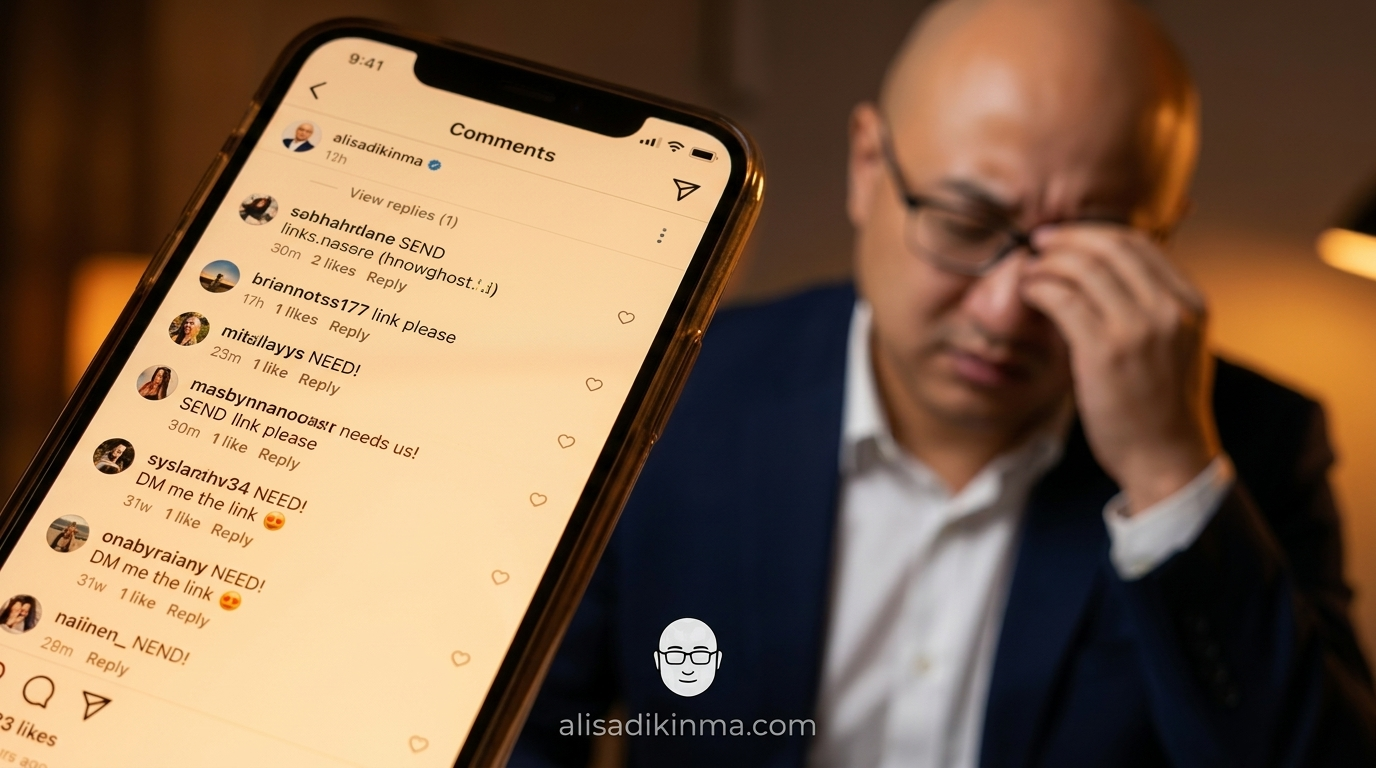
How: Open your terminal (Mac/Linux) or Command Prompt (Windows). Run:
npm install -g openclawOnce that's done, type openclaw to open the dashboard. The interface is dark (dark navy) with orange-red accents — left sidebar for navigation, main panel for agent setup.
Example: Patrick Hughes, AI Agent Developer at BMD HODL, describes OpenClaw as "an operating system for AI agents — you install it, connect your model, and start delegating tasks" (bmdpat.com, 2026). That's exactly how it works: one command, system ready.
Result: OpenClaw runs on your machine — not someone else's cloud. Your context and skills are stored locally, not locked in a walled garden (OpenClaw, openclaw.ai, 2026).
Step 2 — Connect Claude as Your AI Model
What it does: Connect your Anthropic API key to OpenClaw so your agent has Claude's intelligence powering it — not just a rigid template-response bot.
How: In the OpenClaw dashboard, go to Settings → Model Providers → Add Provider. Select Anthropic, paste your API key from console.anthropic.com, then select claude-sonnet-4-6 as the default model (the latest Claude Sonnet version as of 2026).
Example: The claude-sonnet-4-6 model is the sweet spot between speed and quality for social media automation — smart enough to handle comment variations without the latency that makes DMs arrive late.
Result: Your agent understands comment context, not just exact keyword matches. Comments like "send it bro" and "SEND PLEASE!!" both trigger correctly. This is key to why Instagram comment to DM automation AI stays accurate even when trigger keywords are varied.
This is the part most people skip — don't be one of them.
Step 3 — Install the Postiz Agent Skill in OpenClaw
What it does: Add Postiz as OpenClaw's "hands" for direct interaction with Instagram.
How: In your terminal, run:
npx @postiz-app/mcp
Then in the OpenClaw dashboard, go to Skills → Add Skill → paste the MCP Server URL from the terminal output. Postiz will appear as an active skill. Next, go to postiz.com, create an account (free tier available), and connect Instagram under Channels → Add Channel → Instagram.
Example: Postiz describes itself as a "Social Media CLI for AI Agents." The OpenClaw + Postiz integration cuts cross-platform posting management from several hours down to about 10 minutes a day (AI Agents First, 2026).
Result: OpenClaw can now "see" your Instagram comments and send DMs — without you needing to code a single custom API integration.
Step 4 — Set Up Keyword Triggers and Automation Rules
What it does: Define which keywords trigger a DM, what message gets sent, and set your rate limits to keep your account safe.
How: In the Postiz dashboard, go to Automations → Comment to DM. Create a new rule with these settings:
- Trigger keyword: "SEND" (or "LINK", "INFO" — match whatever you wrote in your caption)
- Post target: a specific post or "all future posts"
- DM message: your message with a link + CTA +
{{first_name}}personalization - Rate limit: 50 DMs/hour max (well below the 200 DMs/hour ceiling set by Meta)
This is where we answer the first question raised at the top of this article: Postiz does both exact-match and fuzzy-match against your trigger word. So "SEND!", "send it", or "SEND please" all trigger correctly.
Example: If you're selling a course and your caption says "Comment SEND to get the early bird link", everyone who comments immediately receives a DM with your checkout link — in seconds, not hours.
Result: Every relevant comment gets converted into a DM conversation without you lifting a finger.
Step 5 — Test Before You Publish
What it does: Verify the entire flow before your post goes live in front of thousands of followers.
How: Temporarily set your Instagram account to private. Publish a test post. Ask 2–3 friends to comment with your trigger keyword. Check whether the DMs arrive with the right content and timing. If there's a delay of more than 5 minutes, check the Postiz–Instagram connection in your dashboard.
Example: Janine Heinrichs from Unite.AI noted that setting up OpenClaw "requires patience and some technical knowledge" (Unite.AI OpenClaw Review, February 2026). A small test run is far better than discovering a bug when your post is already viral in front of 50,000 people.
Result: You have confirmation that every "SEND" comment actually converts to a DM — before hundreds of people start commenting at the same time.
Safety Rules You Cannot Break (Meta Ban Wave 2026)
Meta removed over 10 million Instagram accounts in their largest enforcement sweep of 2026, with numerous documented false positives (QuickDM Blog, 2026). Instagram comment to DM automation AI is safe to use — as long as you follow these three rules without exception.
Before you hit "Activate", there's something you need to know first.
Rule 1: Never exceed 200 DMs/hour.
This is Instagram Graph API's hard limit. But for real safety, set your rate limit to 50 DMs/hour. Tools that exceed this threshold get flagged immediately as policy violations (QuickDM, 2026).
It's dangerously easy to blow past when your post suddenly goes viral.
Rule 2: Vary your DM messages.
Meta now uses behavioral fingerprinting — not just volume. Five identical messages within an hour from an unusually active account can trigger spam detection (ReplyRush, 2026). Create 3–5 DM template variations and rotate them automatically in Postiz.
Rule 3: Use the official API, not scrapers.
OpenClaw + Postiz uses the official Meta Graph API. Don't use tools that scrape Instagram directly — one enforcement sweep can wipe out everything you've built.
With these three rules in place, your ban risk drops dramatically. Now let's look at what you can actually expect.
Real Results: What to Expect in Your First 90 Days
Brands using comment-to-DM automation consistently report DM open rates above 80% and a 40% increase in lead capture within the first quarter (PilotDM, 2026). The following three examples prove it with numbers you can verify yourself.
Plixlife (243K followers): 21,000 new subscribers in 3 months. DM open rate 80%+, CTR 25%, and customer support load dropped 60% because AI handled 85% of queries without human intervention (LimeChat, 2025).
Jenna Kutcher: 12,489 webinar sign-ups — 55.6% came from comment funnels. Total of 38,490 emails collected, generating approximately $1 million from free organic content (ManyChat, 2025).
Amy Porterfield: 36,057 new email subscribers and $2.8 million in revenue within 12 months. Eighty-five percent of her live video viewers submitted their email via DM after commenting (ManyChat, 2025). She didn't type a single reply manually.
This isn't hype. This is Instagram comment to DM automation AI working at real scale — a funnel proven across thousands to tens of thousands of leads.
Now here's one question you need to answer for yourself:

How many leads have already slipped away from your comments that you never followed up on?
3 Most Common Problems and How to Fix Them
Here are the most common issues that come up when running Instagram comment to DM automation AI, along with how to fix them:
Problem 1: DMs aren't sending after a keyword comment.
Fix: Check your Instagram connection under Postiz → Channels. Instagram access tokens need to be refreshed every 60 days — this is the most common reason automation silently stops with no error message.
Problem 2: Automation is running but your account gets a warning from Instagram.
Fix: Lower your rate limit to 30 DMs/hour and enable DM template variation. Make sure no other automation is running simultaneously on the same account — two parallel automations can trigger spam detection.
Problem 3: OpenClaw isn't detecting Postiz as an active skill.
Fix: Restart OpenClaw after installing the Postiz MCP server. Check in your terminal whether the server is running on the correct port (default: 3000). If it still fails, rerun npx @postiz-app/mcp and re-add it in the Skills panel.
FAQ: Instagram Comment to DM Automation AI
Q: Is Instagram comment to DM automation AI safe to use in 2026?
A: Yes, as long as you use tools connected to the official Meta Graph API like Postiz. Avoid scrapers and unauthorized bots. Keep your DM rate at 50/hour, vary your message templates, and don't run multiple automations on the same account simultaneously. Meta targets spammy behavior, not automation used responsibly within their set limits.
Q: How much does the OpenClaw + Claude comment-to-DM automation setup cost?
A: OpenClaw is free and open-source. Postiz has a free tier that's sufficient for testing and small accounts. The main cost is the Anthropic API for Claude — around $0.003 per 1,000 tokens, which is extremely affordable for standard DM volume. Total cost can start at $0 for your first 30–50 DMs, then scales with your volume.
Q: How long does it take to set up Instagram comment to DM automation AI from scratch?
A: With this guide, the initial setup takes 15–30 minutes for users with some technical experience. Your first test can run the same day. For DM template optimization and keyword variation, budget an additional 1–2 hours in your first week based on early response data.
Install OpenClaw now — 15-minute setup, free: openclaw.ai
Save this article before your next viral post hits — there's no time to set up when your inbox is already flooded.